◫
Let the vision lead.
Give every frame room to make its case, with fullscreen viewing, interactive links, intuitive zoom, and full GIF and embedded video support*.
Bring your vision and past directing work together in one compelling pitch. Share it beautifully, understand client engagement, and make a stronger case for winning the job.
Present your ideas in a viewer that gives your treatment the attention it deserves. Upload a PDF, share a Canva link, or publish from InDesign—then give clients a polished pitch on desktop or mobile.
Give every frame room to make its case, with fullscreen viewing, interactive links, intuitive zoom, and full GIF and embedded video support*.
Fast, intuitive page transitions keep the focus on your creative ideas, not the viewer.
Share a polished pitch with optional access controls. With FOLIO Pro, send personalized links and see opens and consent-based engagement as clients consider your work.
* When exporting from InDesign
Showcase a director’s past work in a beautifully designed reel that helps clients see why you’re right for their next project. Curate videos from Vimeo and YouTube into one polished presentation.
See which projects prospective clients watch and where they spend time, giving you a clearer picture of the experience they're drawn to.
Connect a treatment to your reel, letting clients move from your vision for their project to examples of your past directing work—all in one seamless experience.
Help clients picture what you could bring to their job, with engagement insights for both your pitch and your previous work.
See how prospective clients engage with your treatment: what they explore, which pages hold their attention, and when they return for another look.
Use page-by-page activity and consent-based viewing insights to better understand interest and prepare for the conversations that could lead to your next project.
Go deeper with a detailed viewing journey: follow page changes, link clicks, and video interactions on an interactive timeline, and hover over any moment to see exactly what happened.
You don’t need InDesign to use FOLIO. Upload a PDF or connect a Canva presentation link to get your pitch in front of clients. If you do work in InDesign, the FOLIO Uploader plugin lets you publish directly from your document.
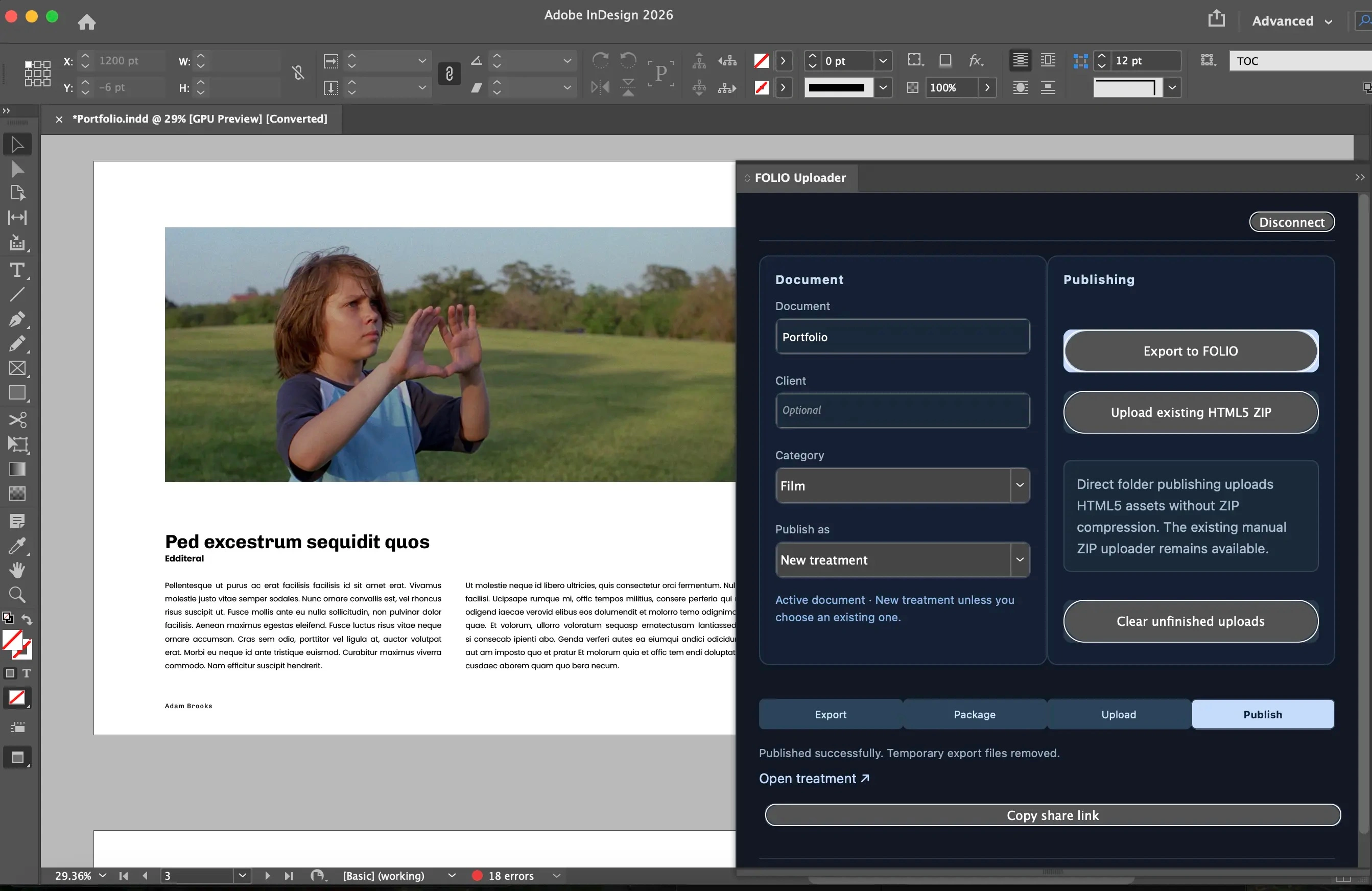
Build your treatment as you normally would, with your layout, links, GIFs, and embedded videos.
Launch the plugin from InDesign and export your treatment as an HTML5 SVG package.
Upload through the plugin and get a shareable treatment ready for your next pitch.
Bring your treatment and past work together in one compelling pitch—and see how prospective clients engage before they make their decision.
Explore the demo dashboard